What is Pre-rendering?
By default, Next.js pre-renders every page. This means that Next.js generates HTML for each page in advance, instead of having it all done by client-side JavaScript. Pre-rendering can result in better performance and SEO.
Pre-rendering means the server generates the HTML for each page ahead of time. In Next.js, every page is pre-rendered by default.
Why Pre-rendering is Necessary
As I covered in the previous post, pre-rendering is one of Next.js's core features — it was designed to address the shortcomings of React's Client-Side Rendering. (For more details, refer to that post.)
Let's explore why pre-rendering is needed by comparing it with Client-Side Rendering.
Client-Side Rendering
Applications built with React receive an empty HTML shell and the JavaScript needed to build the UI from the server, then render the page on the client. Because the initial render happens on the user's device, this approach is called "Client-Side Rendering."
As a result, if JavaScript is disabled, nothing can be rendered at all.

This diagram is from the official Next.js documentation. (Rendering proceeds from left to right in the image.)
As you can see, the initial HTML is empty. The client then uses the JavaScript files received from the server to complete the render before the user sees anything meaningful. In other words, the user sees nothing until all rendering work is done.
Pre-Rendering
Next.js, by contrast, pre-renders a page's components on the server and delivers the already-generated HTML to the user. Unlike Client-Side Rendering, the user sees the content immediately on first load.

Unlike the Client-Side Rendering diagram above, here Server-Side Rendering happens first, the initial HTML is painted to the screen, and then Hydration converts it into a dynamic, interactive UI.
Hydration is the process of injecting JavaScript into the HTML to make the page dynamic.
Types of Pre-rendering
Next.js supports three rendering strategies: Server-Side Rendering, Static Site Generation, and Client-Side Rendering. Of these, Server-Side Rendering and Static Site Generation are both forms of pre-rendering.
The key difference between SSR and SSG is when the HTML is generated.
- Static Generation: HTML is generated at build time and the pre-rendered HTML is reused on every request.
- Server-side Rendering: HTML is generated fresh on every request.
Let's take a closer look at each.
Server-Side Rendering
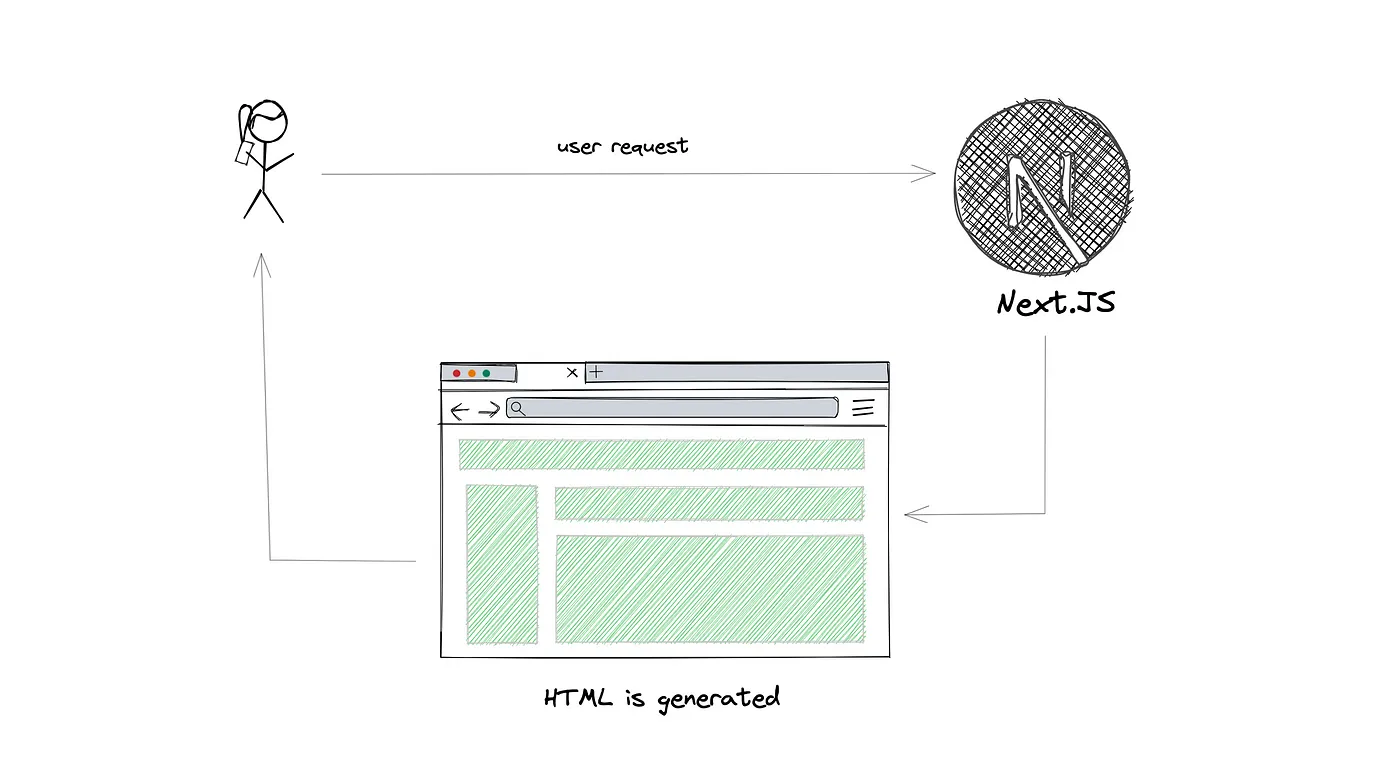
The defining characteristic of Server-Side Rendering is that every time a user requests a page, the server pre-renders that page and generates a fresh HTML file. The HTML, JSON data, and JavaScript files are then sent to the client to make the page interactive.
The initially pre-rendered HTML is used to show the page quickly while React uses the JSON data and JavaScript to hydrate the UI into a dynamic, interactive experience. This process is called Hydration.
You can opt a specific page into server-side rendering by using
getServerSideProps.
Static Site Generation
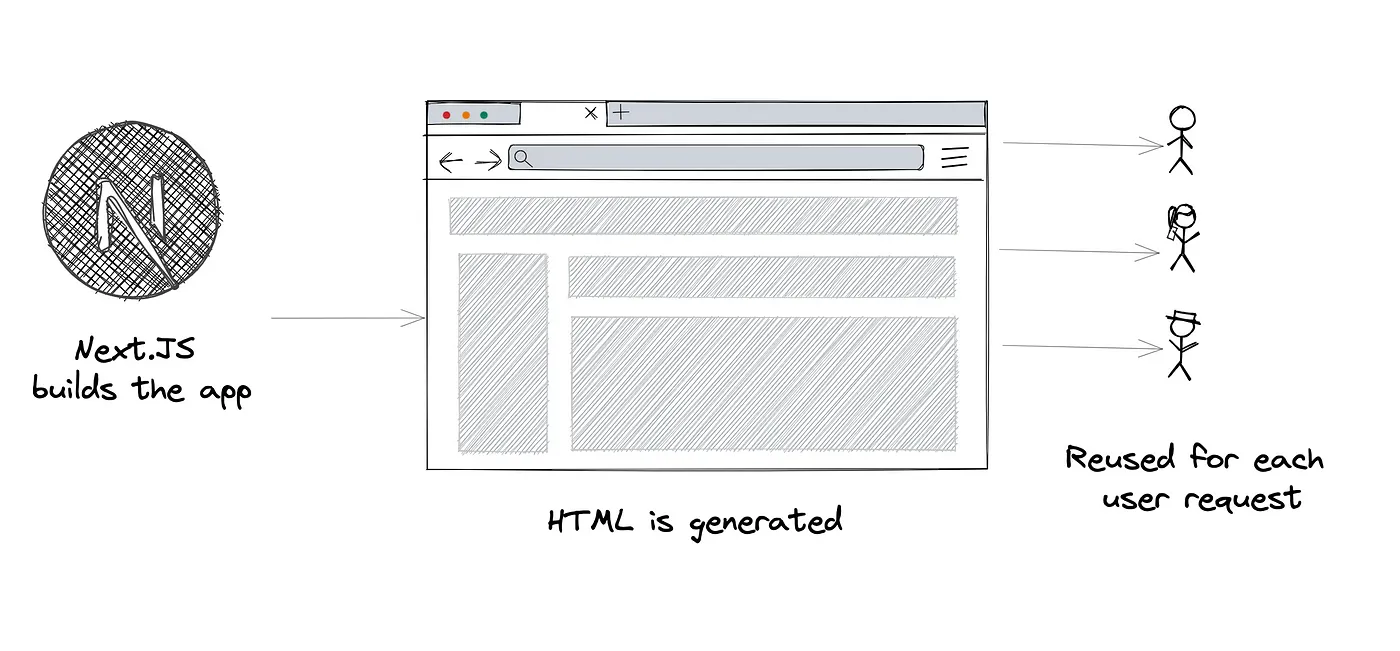
With Static Site Generation, HTML is generated on the server but without any server involvement at runtime. Instead, pages are statically generated at build time when the application is deployed. The pre-built HTML files are stored on a CDN and reused for identical requests.
You can opt a specific page into static generation by using
getStaticProps.
One thing worth noting: even with SSG, during development (i.e., when running npm run dev), pages behave like SSR for convenience — they're generated on each client request rather than at build time.
When Should You Use SSR vs. SSG?
The official docs generally recommend SSG whenever possible. Because HTML is generated only once at build time and served via a CDN, it's faster than SSR.
That said, if a page can't be pre-rendered before a user's request — for example, when the page data changes frequently or varies per request — you should use SSR.
In those cases, SSR is slower than SSG but guarantees that the page always shows the latest data.
What Changes in Next.js 13
getServerSidePropsandgetStaticPropsno longer exist in Next.js 13.
Everything covered above is fundamental to understanding Next.js, but the APIs used to opt into pre-rendering — getServerSideProps and getStaticProps — were removed in version 13.
Instead, you configure the rendering strategy through options passed to the fetch API.
SSG
// This request will be cached until explicitly invalidated.
// Similar to `getStaticProps`! (i.e., fetched at build time)
// `force-cache` is the default, so it can be omitted
fetch(URL, { cache: 'force-cache' });
SSR
// Refetches data on every request.
// Similar to `getServerSideProps`!
fetch(URL, { cache: 'no-store' });
I'll cover Data Fetching in Next.js 13 in more detail in a separate post.
References
https://nextjs.org/learn/foundations/how-nextjs-works/rendering
https://levelup.gitconnected.com/pre-rendering-with-next-js-feb51ed7e327